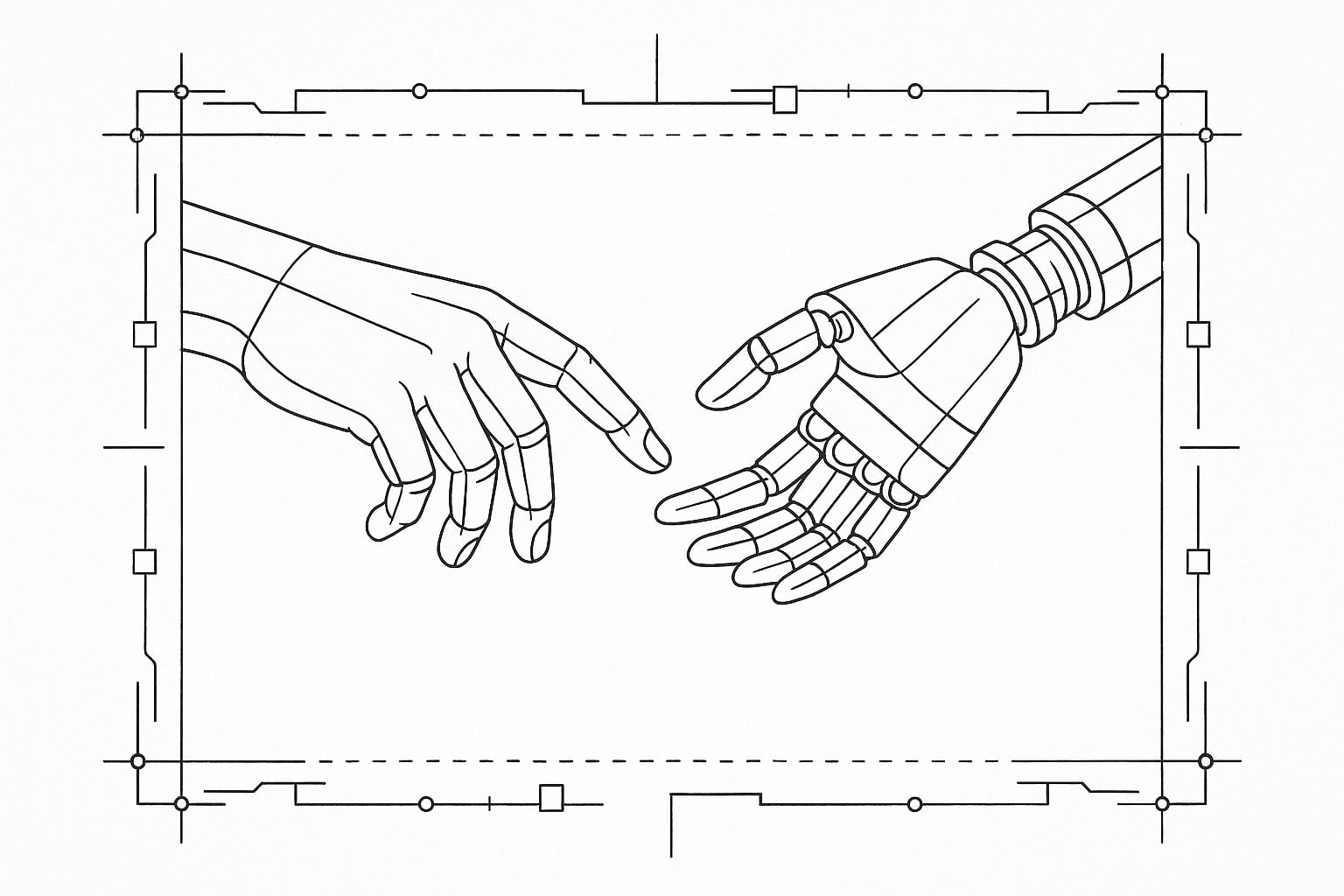
Chapter 4: Agent Mode (The Way That Works)
AgentSpek - A Beginner's Companion to the AI Frontier
I don't think in fragments. I don't think in lines. I think in systems. In architectures. In complete solutions to complete problems. So I stopped fighting autocomplete and found what actually works: agent mode.
“The programmer should let correctness proof and program grow hand in hand.” - Edsger W. Dijkstra, “The Humble Programmer” (1972)
The Moment I Stopped Fighting the Tools
A Note Before We Begin: This chapter describes my personal workflow with AI tools. Your path will likely differ. What works for my brain, my projects, and my thinking style may not work for yours. I share this not as prescription but as one data point in a rapidly evolving landscape. Cursor, Windsurf, GitHub Copilot, or dozens of other approaches might serve you better. The goal isn’t to convince you to adopt my exact workflow—it’s to help you find yours.
I tried autocomplete. I really did.
Copilot, inline suggestions, the whole predictive typing dance. Everyone said it was revolutionary. Game-changing. The future of programming.
But it drove me insane.
I don’t think in fragments. I don’t think in lines. I think in systems. In architectures. In complete solutions to complete problems.
The constant interruption of suggestions mid-thought felt like someone whispering answers during an exam. Helpful in theory. Distracting in practice.
So I stopped fighting it and found what actually works for me: agent mode.
Not code completion. Not inline suggestions. Full delegation to Sonnet running in agent mode, with the freedom to explore, implement, and solve problems end-to-end.
This chapter is about why agent mode works better than autocomplete for how my brain operates—for certain kinds of minds, certain kinds of problems, certain kinds of work. It’s about the tools I actually use: VS Code for reviewing and refining, Claude Code from the command line for building, and unattended mode in containers when I want to experiment or sleep while the AI works. Your tools might be completely different, and that’s perfectly fine.
The Agent Mode Mindset
Agent mode fundamentally changes the conversation.
Instead of “complete this line,” you say “solve this problem.”
Instead of accepting or rejecting suggestions every few seconds, you specify the outcome and let intelligence manifest it into reality.
Instead of dancing with autocomplete, you’re delegating architecture.
When I need to build a data pipeline for my blog, I don’t start typing def transform and wait for Copilot to finish my thought. I open Claude Code and describe the system I want to exist.
“Build a Python content processing pipeline that reads markdown from editing/revisions/, extracts metadata, processes images for responsive sizes, and populates Neo4j with content relationships. Handle errors gracefully. Make it fast.”
And Sonnet builds it.
Not line by line. Not suggestion by suggestion. End to end. Architecture, implementation, error handling, the works.
This isn’t because I’m lazy. It’s because I can think at the architecture level while the implementation happens in parallel.
The Tools That Actually Work for Me
My workflow involves two complementary tools: VS Code for review and refinement, and Claude Code from the command line for building. (Others find similar success with Cursor’s agent mode, Windsurf, or other IDE integrations—the principle of separation between review and generation matters more than the specific tools.)
VS Code: The Review Environment
VS Code is where I read code. Where I understand systems. Where I refine implementations.
Not where I write them.
I’ll open a Python script that was AI-generated. Read through the logic. Understand the architecture. Spot edge cases that need handling. Identify optimizations.
Then I describe what needs to change, and the agent makes it happen.
VS Code is my lens into the codebase. My thinking space. My review environment. It’s perfect for understanding, terrible for implementing.
Claude Code CLI: The Build Environment
The command line interface (whether Claude Code, aider, or another agent tool) is where the work happens for me.
I describe what I want. The AI builds it. I review in VS Code. Refine the specification. The agent updates it.
The command line interface keeps me focused on outcomes, not keystrokes. On systems, not syntax.
# Typical workflow example
claude-code "optimize the image processing pipeline to handle WebP conversion in parallel"

# Review in VS Code
# Refine

claude-code "add caching so unchanged images skip processing entirely"

# Iterate until it's right
This separation of concerns—building with an agent, reviewing in an IDE—matches how my brain actually works. I don’t want to write code. I want to architect systems. The tools should match the thinking. Find the combination that matches yours.
Unattended Mode: The Experiment Engine
The most powerful discovery for my workflow: running AI agents in unattended mode inside containers.
When I have a well-defined problem but want to explore multiple solutions, I spin up a container and let the AI experiment overnight.
“Here’s the content processing pipeline. Find the bottlenecks. Try three different optimization approaches. Document the results.”
I wake up to a report comparing sequential vs. parallel processing vs. incremental updates, complete with benchmarks, trade-off analysis, and working implementations of each.
This isn’t just faster. It’s fundamentally different work. I’m not implementing solutions anymore. I’m specifying experiments and reviewing results.
The container keeps experiments isolated. Unattended mode means I’m not waiting. The agent’s capabilities mean I get thoughtful exploration, not just brute force attempts.
(Note: This workflow won’t appeal to everyone. Some developers prefer tighter loops and more direct control. That’s valid. Know yourself.)
Why Agent Mode Wins for Architecture-First Thinking
Some developers think in lines of code. They see the solution as they type it. Autocomplete makes perfect sense for them.
I think in systems. In data flows. In architectures.
By the time I’m ready to implement, I already know what needs to exist. The typing is just transcription. And transcription is exactly what AI should handle.
Agent mode lets me work at the right level of abstraction. I’m not coding. I’m specifying outcomes.
“Build AWS CDK infrastructure for static site hosting with CloudFront distribution, S3 origin, and automated deployment from GitHub actions.”
Sonnet understands this. Not because it’s smarter than autocomplete, but because the instruction is complete. There’s architectural intent, not just partial syntax.
The implementation that emerges handles details I would have gotten wrong or forgotten: CloudFront cache invalidation, S3 versioning for rollback, proper IAM policies, error handling in deployment scripts.
Not because I prompted for each detail. Because agent mode thinks in complete solutions.
Model Choice: What Works for My Use Case
I’ve tried different models in agent mode. GPT variants, Claude models, others as they emerge.
For my workflow—systems architecture and end-to-end implementations—Claude Sonnet consistently produces the most coherent systems.
Not necessarily the cleverest code. Not always the most optimized algorithms. But the most thought-through architectures for my use cases.
When building a content processing pipeline, Sonnet doesn’t just transform markdown to HTML. It considers:
- What happens when a file is malformed?
- How do we handle images that don’t exist?
- What if two posts reference each other cyclically?
- How do we make this fast without making it fragile?
This systems thinking is why I stick with Sonnet for my agent mode work. It builds like an architect, not like a code generator.
Your mileage may vary. GPT-4 might excel at different tasks. Newer models will undoubtedly shift this landscape. The key is finding the model that thinks most compatibly with how you think.
Sonnet 4.5: My Current Default
At the time of this writing, Sonnet 4.5 is the model I use for almost everything in agent mode.
It handles complex architectural decisions. It maintains context across long implementations. It asks clarifying questions when my specifications are ambiguous.
Not because it’s objectively “the best” on some benchmark. Because it thinks compatibly with how I think. In systems. In implications. In trade-offs.
When I specify Neo4j integration for content relationships, it doesn’t just write Cypher queries. It designs a schema that makes sense, handles relationship updates gracefully, includes transaction boundaries for consistency.
This is architecture, not code completion.
(By the time you read this, newer models will exist. The principles matter more than the specific version numbers.)
Review Tool + Agent Tool: Complementary Workflow
The combination of a review environment (VS Code in my case) and an agent tool (Claude Code in my case) creates a workflow that matches how I actually think.
The Review Cycle
- Specify what needs to exist (using agent tool)
- Let AI build the complete implementation
- Review in your IDE with full context
- Refine the specification based on what you see
- Iterate until it’s right
This cycle respects how understanding actually develops. You can’t fully specify a solution before you see it. You need to iterate. But iteration at the architecture level, not the line level.
The IDE gives you the full codebase view. Multiple files open. Full context. Understanding how pieces fit together.
The agent tool gives you the implementation power. The AI builds what you specify. Handles the details. Maintains consistency.
Together, they let you work at the level of “what should exist” instead of “how to type it.”
Using Different Models for Different Tasks
In my workflow, I use different AI models for different purposes.
While Claude Sonnet handles implementation in agent mode, I sometimes use GPT or other models for research and conceptual exploration.
When I’m trying to understand graph database modeling approaches, I don’t immediately jump to implementation. I explore the conceptual space first.
“Compare event sourcing vs. snapshot models for content versioning in Neo4j. What are the trade-offs?”
Some models excel at broad conceptual analysis. Pattern recognition across domains. Helping you think through approaches before committing to implementation.
Then I take the insights back to my implementation agent.
Different models can serve different cognitive needs. One for divergent thinking. Another for convergent building. Your combination might be completely different from mine.
The Container Experiment Pattern
Running AI agents in unattended mode inside containers has become one of my favorite techniques for tackling ambiguous problems.
The Setup (Example with Claude Code)
# Example: Spin up container with agent tool
docker run -it --rm -v $(pwd):/workspace anthropic/claude-code

# Inside container, run in unattended mode
claude-code --unattended --task "optimize-content-pipeline.md"
(Other agent tools have similar capabilities. The pattern matters more than the specific implementation.)
The Experiment Task File
# Task: Content Pipeline Optimization

## Context
Current pipeline processes all markdown files sequentially.
Build times have grown from 2 minutes to 15 minutes.
Processing includes: markdown parsing, image optimization, Neo4j updates.

## Experiment Goals
1. Identify actual bottlenecks (don't assume)
2. Implement 3 different optimization approaches
3. Benchmark each with real content
4. Document trade-offs

## Success Criteria
- Build time under 5 minutes for full rebuilds
- Incremental builds under 30 seconds
- No regression in output quality
- Maintainable code (we'll be living with this)

## Constraints
- Must work with existing AWS CDK infrastructure
- Can't break Neo4j relationship integrity
- Need to handle both full and incremental builds
What I Wake Up To
A complete report with:
- Bottleneck analysis (turns out image processing, not Neo4j)
- Three working implementations (parallel processing, caching, hybrid)
- Benchmark results with actual numbers
- Trade-off analysis for each approach
- Recommendation with reasoning
This isn’t just automation. It’s actual exploration happening while I sleep.
(Your results may vary. This requires trust in your agent, good containerization, and clear specifications. It’s not for everyone.)
Why This Works Better Than Autocomplete (For Me)
Autocomplete optimizes for line-by-line productivity.
Agent mode optimizes for system-level thinking.
I don’t care about typing speed. I care about architectural clarity. About building systems that work. About solving problems completely rather than incrementally.
When an AI agent builds a complete AWS CDK stack, it’s not faster because it types faster. It’s faster because it considers the entire system at once.
CloudFront configuration that matches S3 bucket settings. IAM policies that grant exactly the right permissions. Deployment scripts that handle failures gracefully. Error handling that cascades properly.
These aren’t separate decisions made line by line. They’re systemic properties that emerge from specifying complete outcomes.
If you think differently—if you prefer the tighter feedback loop of autocomplete—that’s equally valid. Different tools for different minds.
The Learning Curve Reality
Agent mode has a different learning curve than autocomplete.
Autocomplete: learn to accept/reject suggestions quickly. Builds on existing typing skills.
Agent mode: learn to specify outcomes clearly. Requires architectural thinking.
For developers who think in systems, agent mode is immediately intuitive. You already think this way. The tool finally matches the thinking.
For developers who think in lines, autocomplete makes more sense. It augments the way they already work.
Neither is better. They’re different tools for different cognitive styles.
I tried autocomplete for months. It never felt natural. Agent mode felt right immediately. Because it matched how I already think about problems.
The Delegation Trust Framework
Agent mode requires trust in ways autocomplete doesn’t.
With autocomplete, you see every suggestion. You’re always in control.
With agent mode, you’re delegating complete implementations. Trust becomes essential.
Building Trust Through Iteration
Start with small, well-defined tasks:
- “Add error handling to this function”
- “Optimize this database query”
- “Generate test cases for this module”
Review the output carefully. Understand how Sonnet thinks.
Gradually increase delegation as trust builds:
- “Refactor this module for better performance”
- “Build a caching layer for this API”
- “Create AWS CDK infrastructure for static hosting”
Eventually, you’re delegating entire systems:
- “Build complete content processing pipeline”
- “Design and implement graph database schema”
- “Create end-to-end deployment automation”
Trust doesn’t come from blind faith. It comes from validated experience.
Practical Patterns for Agent Mode
Pattern 1: The Specification File
Create a markdown file describing what should exist:
# Content Processing Pipeline

## Purpose
Transform blog posts from markdown to deployed static site with graph database integration.

## Components
1. Markdown processor: Parse frontmatter, extract metadata, render HTML
2. Image optimizer: Convert to WebP, generate responsive sizes, update references
3. Graph builder: Map content relationships in Neo4j
4. Deployment orchestrator: Coordinate AWS CDK deployment

## Quality Gates
- All images under 200KB
- Build time under 5 minutes
- No broken internal links
- Neo4j relationships match content reality
Feed this to Claude Code in agent mode. Let Sonnet build it.
Pattern 2: The Refinement Loop
- Specify initial system
- Review implementation
- Identify gaps or improvements
- Refine specification
- Iterate until satisfied
This isn’t waterfall. It’s iterative architecture. But iteration happens at the system level, not the line level.
Pattern 3: The Unattended Experiment
When you have time but not clarity:
- Write experiment specification
- Launch in container with unattended mode
- Do other work (or sleep)
- Review results
- Choose direction based on evidence
Let Sonnet explore the solution space while you explore the problem space.
What I’ve Built This Way
In the past six months using agent mode with Sonnet:
Content Management System
- Complete Astro blog with markdown processing
- Neo4j integration for content relationships
- Automated image optimization
- AWS CDK infrastructure
- Build time: 3 minutes for 200+ posts
Data Processing Pipeline
- ETL from multiple APIs to graph database
- Error handling with retry logic
- Performance optimizations
- Monitoring and alerting
Deployment Automation
- GitHub Actions workflows
- AWS CDK for infrastructure as code
- Rollback capabilities
- Health checks and validation
None of this was typed line by line. All of it was specified architecturally and implemented by Sonnet in agent mode.
The Mental Model Shift
The hardest part of agent mode isn’t the tools. It’s the mental model.
You have to stop thinking like an implementer and start thinking like an architect.
Old mindset: “How do I write this code?”
New mindset: “What system should exist?”
Old mindset: “What’s the syntax for this operation?”
New mindset: “What are the constraints and requirements?”
Old mindset: “Let me type this implementation.”
New mindset: “Let me specify this outcome.”
This shift feels unnatural at first. We’re trained to equate programming with typing. With crafting each line carefully.
Agent mode asks you to let go of the typing and focus on the thinking. The specification. The architecture.
For some developers, this feels like loss of control. For others, it feels like finally working at the right level of abstraction.
Why I Don’t Use Autocomplete
People ask why I don’t use both. Autocomplete for some tasks, agent mode for others.
Because the mental models conflict.
Autocomplete keeps you in line-by-line thinking. You’re always half-waiting for the next suggestion. Half-evaluating whether to accept or reject.
Agent mode requires complete architectural thinking. You can’t specify a system while thinking in lines.
Switching between them creates cognitive whiplash. Like trying to write poetry while doing arithmetic.
I chose agent mode because my brain works in systems, not in lines. Your choice might be different. That’s fine. But trying to use both simultaneously fragments your thinking.
The Future Is Already Here
Agent mode isn’t some future technology. It’s available now. Multiple tools—Claude Code, Cursor, aider, Windsurf—can build complete systems from architectural specifications.
The limitation isn’t the technology. It’s whether this style of work matches how you think.
Can you specify what should exist without specifying how to build it?
Can you review a complete implementation and identify what needs refinement?
Can you trust delegation enough to let AI work while you think?
If yes, agent mode might transform how you work.
If no, autocomplete might serve you better. It augments existing workflow instead of transforming it.
Neither is superior. They’re optimized for different cognitive styles and work preferences.
The Choice You Make
This chapter isn’t advocating that everyone should use agent mode.
It’s acknowledging that different developers think differently. Different tools serve different minds.
Autocomplete: For developers who think in lines and flows, who build solutions incrementally, who enjoy the typing dance.
Agent mode: For developers who think in systems and architecture, who specify outcomes and review implementations, who find typing tedious.
Neither is better. They’re optimized for different cognitive styles.
I tried to make autocomplete work. Gave it a fair shot. Months of use. But it never matched how I think.
Agent mode matched immediately. Because it finally gave me tools that work at the level of abstraction where my brain lives.
Living in Agent Mode: Beyond Development
What started as a development workflow has evolved into something far more profound.
Agent mode isn’t just how I build software anymore. It’s become how I think, how I work, how I reflect, and increasingly, how I live.
The progression was gradual, then sudden.
First, I converted my personal digital journal into a VS Code repository integrated with agent mode. Every thought, every reflection, every insight—now captured in markdown with the full power of agent collaboration available. Not to write for me, but to help me think more clearly, organize more systematically, explore ideas more thoroughly.
Then came work. I migrated from OneNote to VS Code repos. Meeting notes, project documentation, strategic planning—all living in an environment where I can invoke agent mode to help synthesize patterns, identify gaps, refine thinking.
This represents one of the most transformative experiments with AI I’ve undertaken. It deserves a book of its own, which I’m exploring.
The entirety of my existence and reflection now often happens in this realm. Every morning intention. Every evening review. Every planning session and retrospective. The agent helps me see patterns I’d miss. Connections I wouldn’t make. Questions I should be asking but wasn’t.
But here’s what matters: this only works because it’s balanced.
Deliberately. Carefully. Intentionally.
Exercise keeps me grounded in the physical. Meditation anchors me in presence. Family reminds me what matters beyond systems and optimization. Animals teach me about connection that transcends language. Real-world experiences keep a toe in the world, showing me where things still are, what remains true outside the digital realm.
You temper metal on a hot iron. The heat transforms the material, but you need the anvil too. The resistance. The real world pushing back against the malleable digital.
Agent mode amplifies my thinking. It doesn’t replace my living.
The danger isn’t in using these tools. It’s in letting them become the only realm you inhabit. The only way you think. The only mirror through which you see yourself and the world.
I live in agent mode for work and reflection. But I live in life for everything that makes work and reflection worth doing.
This is what leveling up looks like in the age of AI. Not choosing between human and machine intelligence. Not replacing experience with optimization. But finding the synthesis—the way these tools can augment human capacity for thought, reflection, and creation without diminishing human capacity for presence, connection, and meaning.
The agent doesn’t think for me. It thinks with me.
And that makes all the difference.
Next: Chapter 5: The Socratic Partner (Coming Soon)
← Previous: Chapter 3: Git for the Agentic Age | Back to AgentSpek
© 2025 Joshua Ayson. All rights reserved. Published by Organic Arts LLC.
This chapter is part of AgentSpek: A Beginner’s Companion to the AI Frontier. All content is protected by copyright. Unauthorized reproduction or distribution is prohibited.
Sources and Further Reading
This chapter builds on Edsger W. Dijkstra’s “The Humble Programmer” (ACM Turing Award Lecture, 1972), particularly his insight that “the programmer should let correctness proof and program grow hand in hand.” In agent mode, the correctness proof and implementation can grow together through specification-driven development.
The discussion of different cognitive styles in programming draws from research in cognitive psychology, particularly work on systematic versus intuitive thinking, though applied here to the choice between autocomplete and agent-based development.
For those interested in architectural thinking, Christopher Alexander’s “Notes on the Synthesis of Form” (1964) provides foundational concepts about separating design intent from implementation details.
Douglas Engelbart’s “Augmenting Human Intellect” (1962) envisioned computers amplifying human thinking rather than replacing it—agent mode realizes this vision by handling implementation while humans focus on architectural thinking.
For practical implementation, current documentation for Claude Code and Anthropic’s agent capabilities provides technical details, though the field evolves rapidly as agent capabilities improve.